
See how the duties fit together.
CrewMark turns your imported roster into a crew-friendly timeline for the day, week and month. View flight times, block hours, pairings and rest windows alongside the other parts of your schedule.
Private beta · Free while in beta For pilots and cabin crew. Applications are reviewed manually.
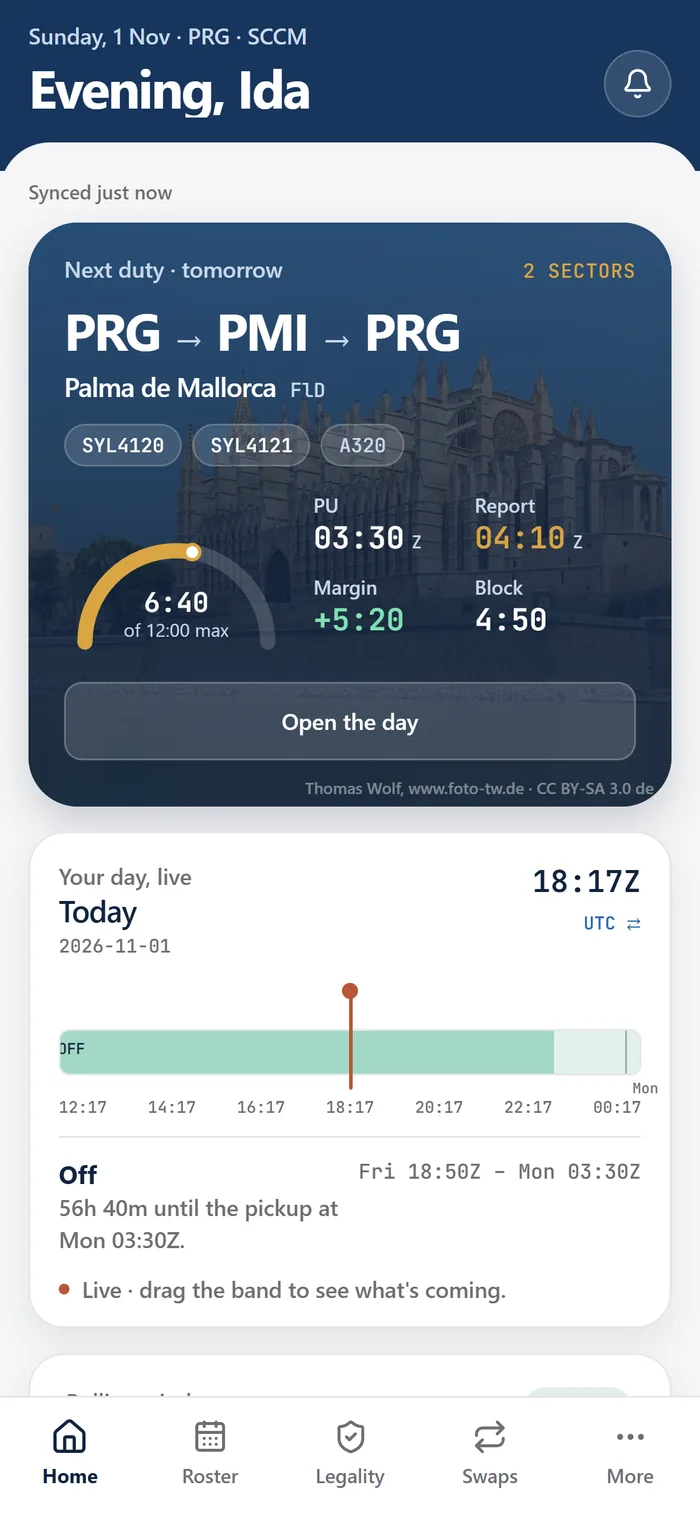
Read the month beyond the flight sectors
A crew roster includes more than flights. Standby, training, layovers and days off shape the month too. CrewMark brings these items into a clear schedule after you upload a supported PDF, so you can see the surrounding duties when reviewing a particular day.
Switching between the day, week and month gives you a way to move from the next duty to the wider pattern. The timeline is built from the roster information you provide; it is a personal planning view rather than a connection to your airline's live scheduling system.
A practical way to review your roster
Use the timeline as a starting point for a short review whenever you upload a new or revised roster.
Check the next duty
Compare its date and times with the airline's official roster. Confirm the time context rather than assuming a display is local time or UTC.
Look at the surrounding days
Read the flights, standby, training, layovers and days off around it. The neighbouring duties can matter to your personal plans and to the rule breakdown.
Open the relevant rule breakdown
Review findings against the EASA, national and collective-agreement rules CrewMark models for the applicable context. An empty set of warnings is not an operational approval.
Review revisions before exporting
If the roster has changed, check the revised information before making a new calendar export. An older .ics import does not update itself.
Keep context alongside the schedule
Roster history gives you previous uploads to work from, and a new upload that changes the roster can trigger an in-app notification. Private duty notes can be attached to a day, keeping your own reminders alongside the schedule.
The records feature also uses information such as training and check expiry dates printed on your roster. Those records are different from a general document vault: CrewMark is not a place to store passports, visas or unrelated files.
Available through the private beta
CrewMark is free for invited beta crew. The website needs a connection to open, even though it keeps a browser copy. The iPhone app, including its planned access to the latest roster without signal, is coming soon.
Before each duty, use your airline's official roster to verify the schedule. CrewMark can make the information easier to read, but it cannot replace an airline update that has not yet been uploaded.
Common questions
Is the duty timeline only for pilots?
No. CrewMark is designed for pilots and cabin crew. Access is currently reviewed through the private beta approval process.
Will a change in my airline system appear automatically?
CrewMark does not have access to the airline's internal scheduling system. Upload the revised supported roster and verify the result against the official schedule.
Can I use the website without an internet connection?
The website needs a connection to open. The iPhone app is coming soon; its offline features should not be treated as an available download today.
See if CrewMark fits your roster.
Check the supported formats, explore the current beta, and tell us what would make your crew month easier.
Join the free beta