
Turn your roster PDF into a clearer flying month.
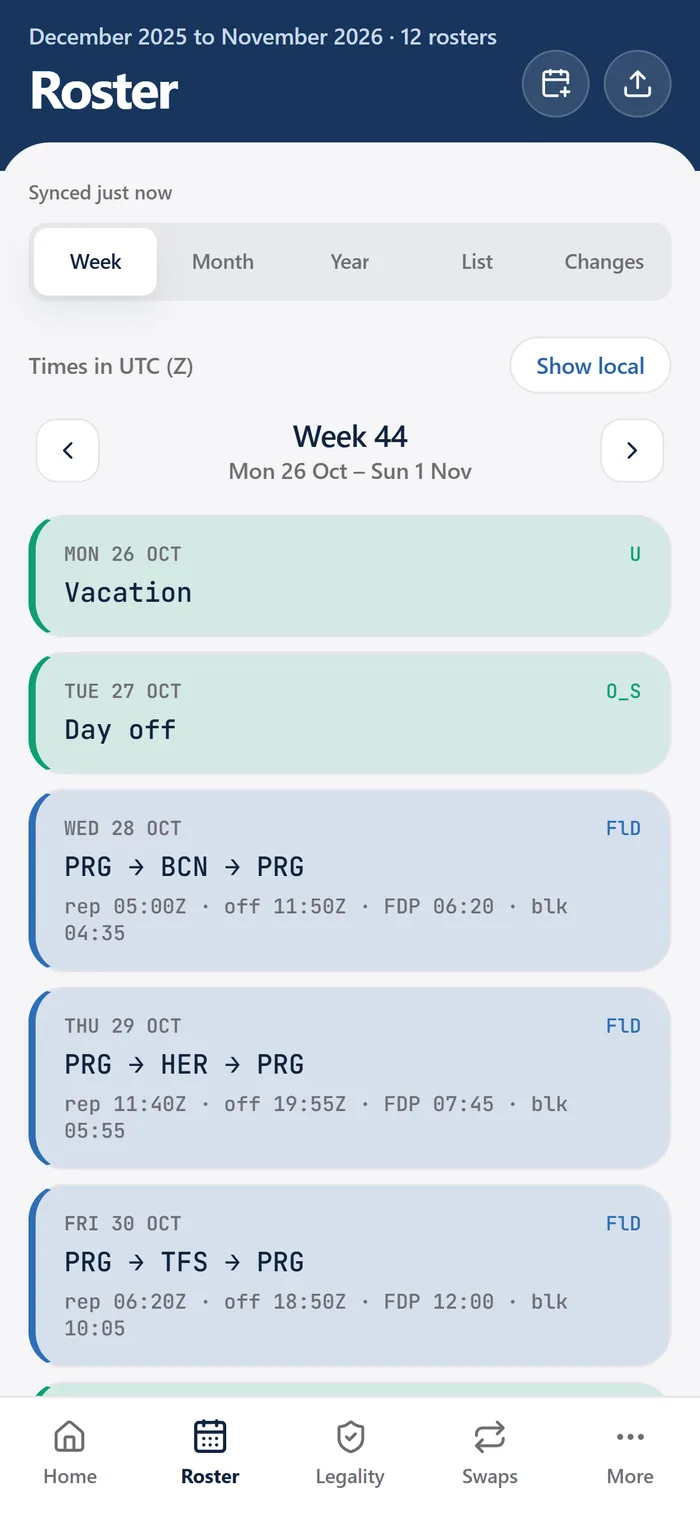
CrewMark imports NetLine/CrewLink and Raido PDF exports and organizes flights, layovers, training, standby and days off into a schedule you can review. Access is currently through a free, invite-only private beta.
Private beta · Free while in beta For pilots and cabin crew. Applications are reviewed manually.
Start with a supported roster export
The current supported formats are NetLine/CrewLink and Raido PDF exports. Support is described by the roster format, rather than a promise that every airline's documents will import correctly. Layout changes and unfamiliar exports can still produce parsing errors during beta.
Use your own roster and check your airline's policy on third-party productivity tools. If your export uses another format, contact the team to discuss it before assuming it is supported. Do not send another crew member's roster as a sample.
From PDF to a usable schedule
The aim is to spend less time reading dense duty blocks and more time understanding the month in front of you.
Get access to the beta
Request access and wait for approval. Registration is reviewed manually; submitting the form does not immediately unlock the app.
Upload your roster PDF
Use a supported NetLine/CrewLink or Raido export from your airline. CrewMark parses the document into structured roster information.
Review the parsed month
Compare the dates, duties, flights, standby, training and days off with the original. Check the times and their displayed time context before relying on a calendar view.
Use the connected tools
Read the duty timeline, review the applicable rule breakdowns and export your schedule as an .ics calendar file. Coverage differs between roster parsing and operator-specific rules.
Keep track when your roster changes
CrewMark keeps an encrypted roster history. When a new upload changes your roster, the app can show an in-app notification. This helps you return to the changed information without treating an older calendar copy as the latest schedule.
CrewMark does not connect to your airline's internal scheduling system. A revised roster needs to reach CrewMark through an upload; a change at the airline is not a promise of an automatic update in CrewMark or in an exported calendar. Your airline's official system remains the place to verify your next duty.
One roster, several practical views
The imported duties feed the timeline and the rule breakdowns CrewMark models. Roster history also supports career records, while training and check expiry dates printed on a roster can be flagged when they are close to expiry.
An accurate import is the starting point. A missing or misread duty can affect the views and estimates built from it, so reviewing the import is part of using the tool. For data handling, storage and deletion details, read the privacy policy.
Common questions
Can CrewMark import any airline roster PDF?
No. The current supported exports are NetLine/CrewLink and Raido PDFs. Other formats and layout variants need to be assessed; contact the team if your export is different.
Does uploading a roster verify that all my duties are legal?
No. Importing structures the PDF. Rule breakdowns are a separate feature with defined regulatory and operator coverage, and the results need to be checked against official systems.
Is roster import free?
Roster uploads are included in the free Crew Beta plan for invited users. Paid plans are planned for after beta, with prices still to be announced.
See if CrewMark fits your roster.
Check the supported formats, explore the current beta, and tell us what would make your crew month easier.
Join the free beta